Why Mirror Vision How It Works Features Tutorials FAQ Contact Download Free

See your swing in real time

Your iPhone becomes the camera. Your iPad becomes the mirror. See what you actually look like when you swing.

Used on every tour · AI swing detection · No Wi-Fi needed · Uses devices you already own
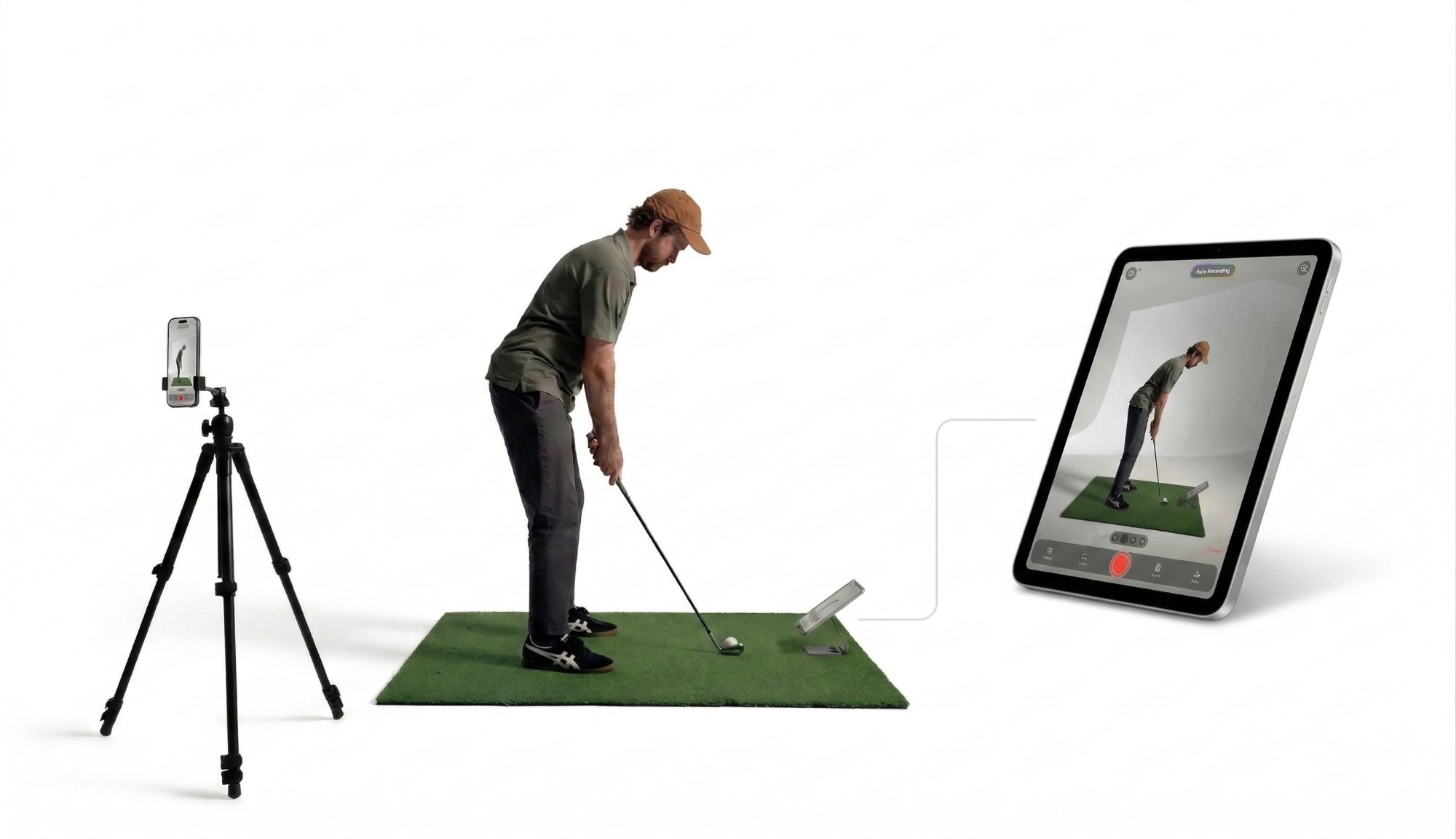
Mirror Vision setup — iPhone on tripod filming golfer, iPad showing real-time stream

Practice without the guesswork

Without Mirror Vision
Film your swing
Walk to your phone
Review it
Walk back
Try again
Hope it's better
With Mirror Vision
See yourself in real time as you swing
Check your positions while you're still at the ball
Adjust and go again — instantly
AI captures every swing hands-free — review after your session, not during it

Same practice session. More reps. Faster improvement.

Watch it in action
How It Works

Three steps. That's it.

1

Position your iPhone

Place it behind you on a tripod — down the line, face on, any angle. It becomes your remote camera.

2

Connect to your iPad

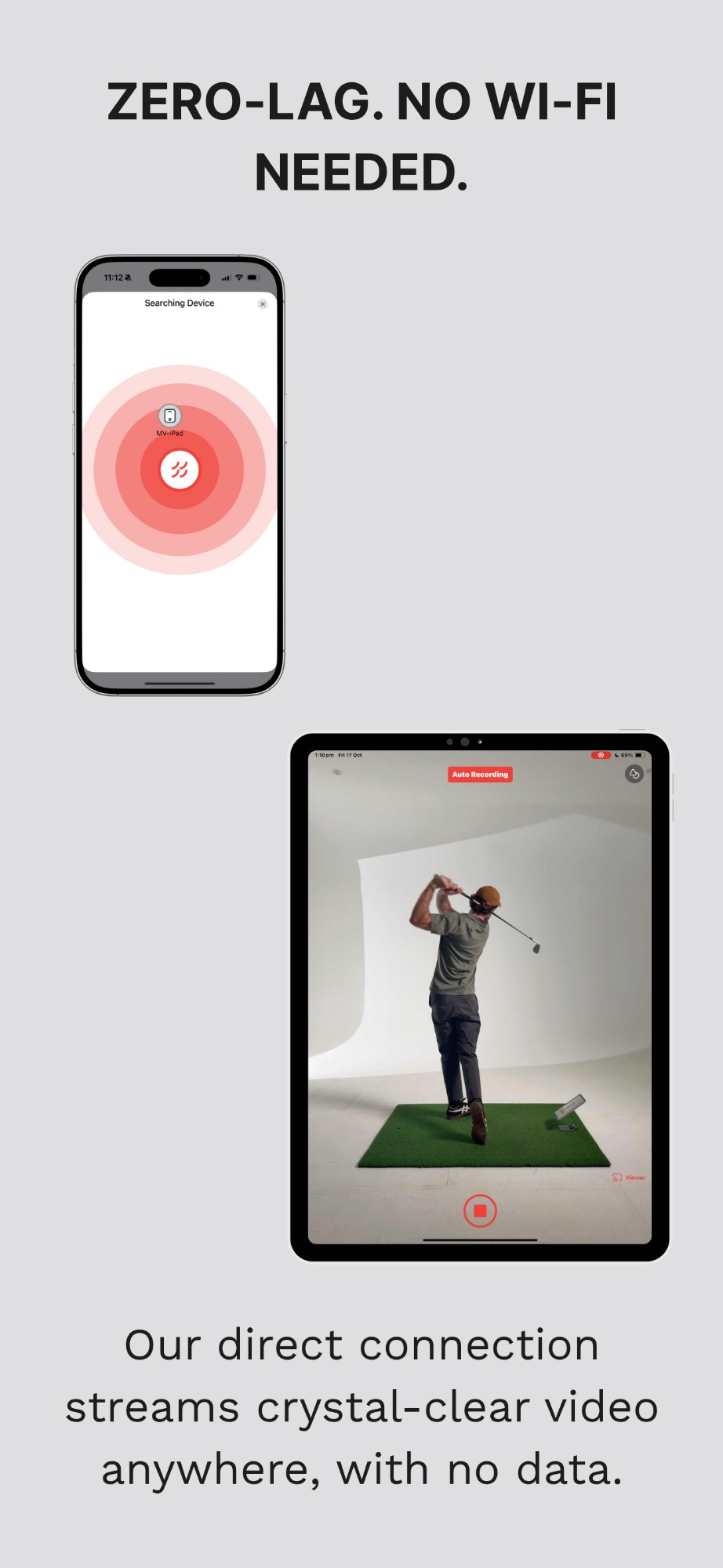
Open both apps and connect. Direct Bluetooth pairing — no Wi-Fi, no hotspot, no setup hassle.

3

Swing and see instantly

Your swing streams live to your iPad. AI detects it, records it, and replays it — all hands-free.
Features

Everything you need to practise smarter

Swipe to explore →

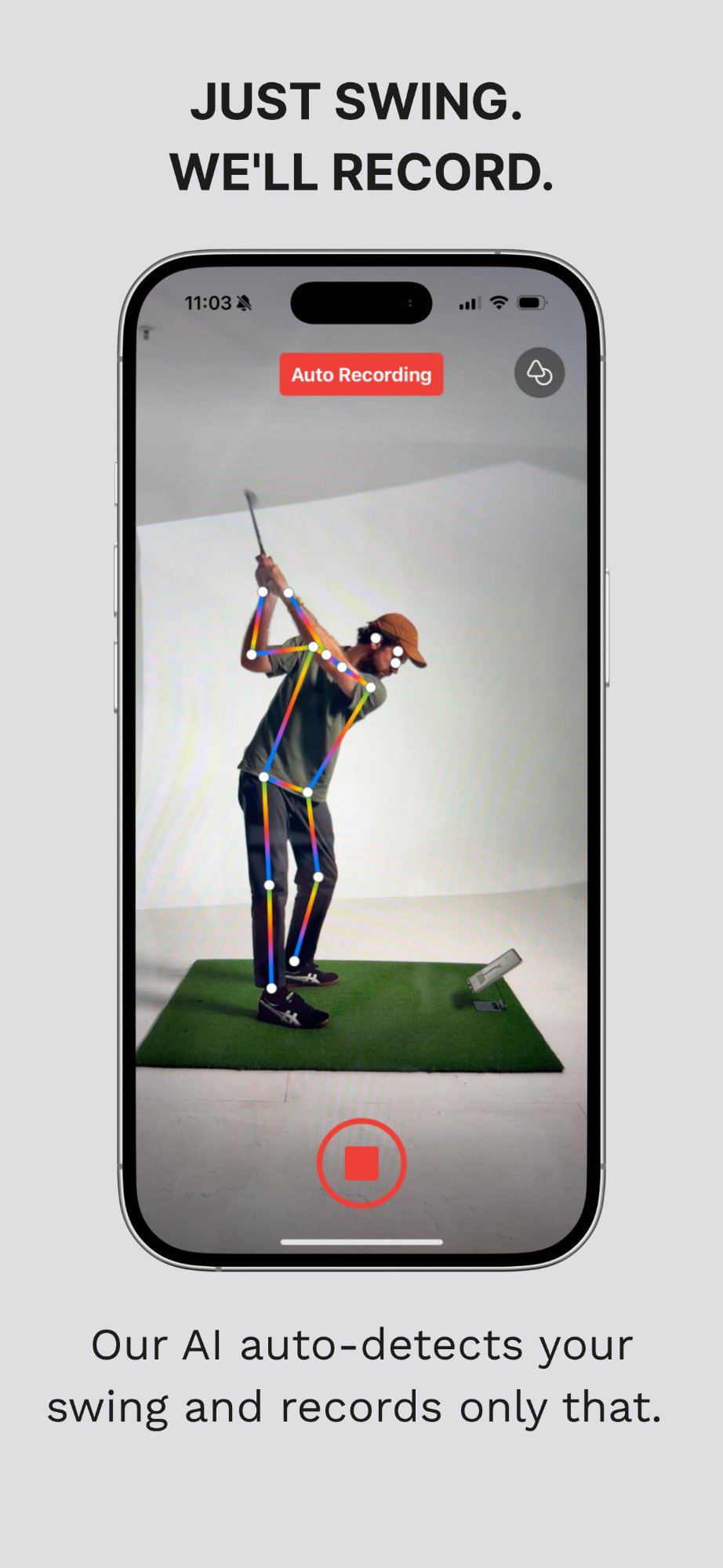
AI swing detection with body tracking

AI Swing Detection

Recognises full swings and records only those. No tapping — stay in the flow.

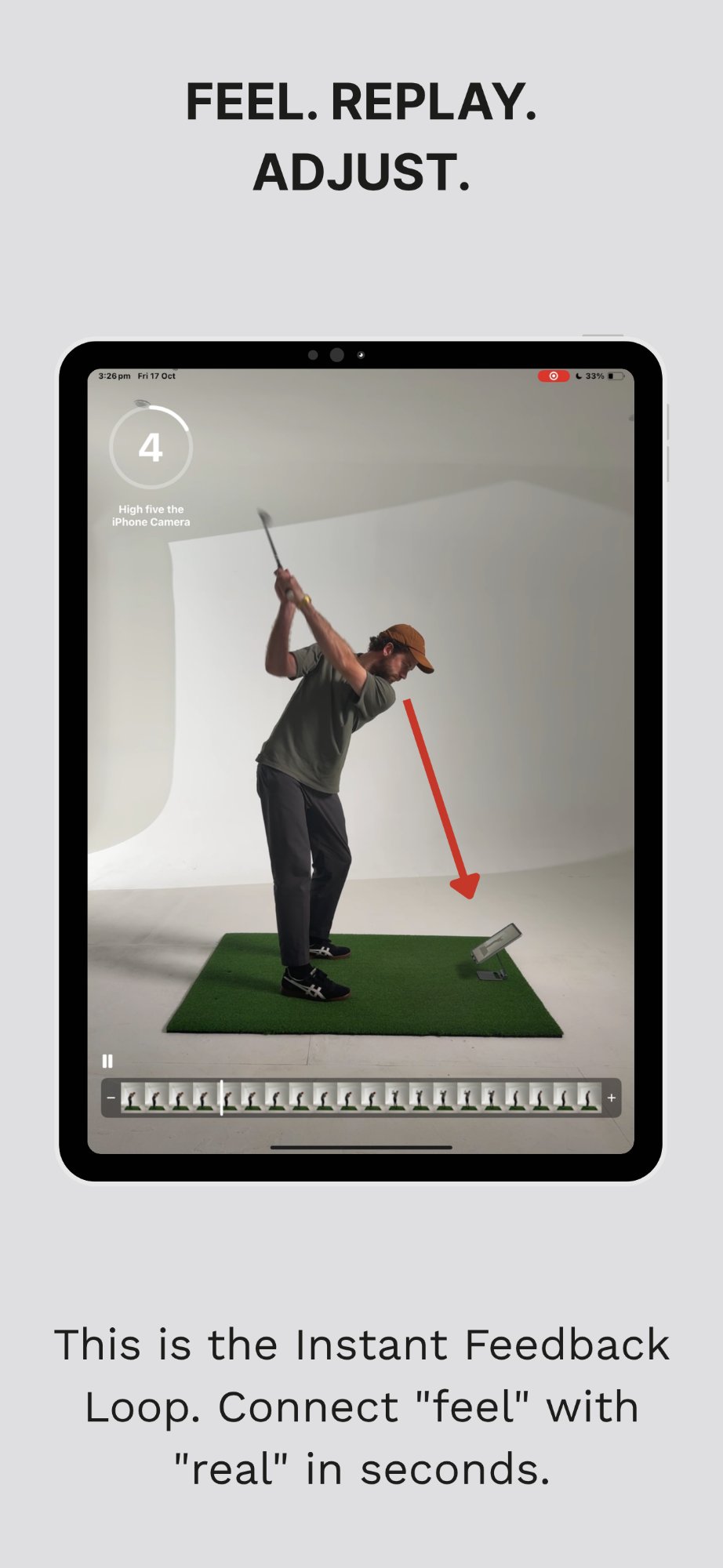
Instant auto replay on iPad

Instant Auto Replay

Every swing plays back immediately in slo-mo. See the result within seconds.

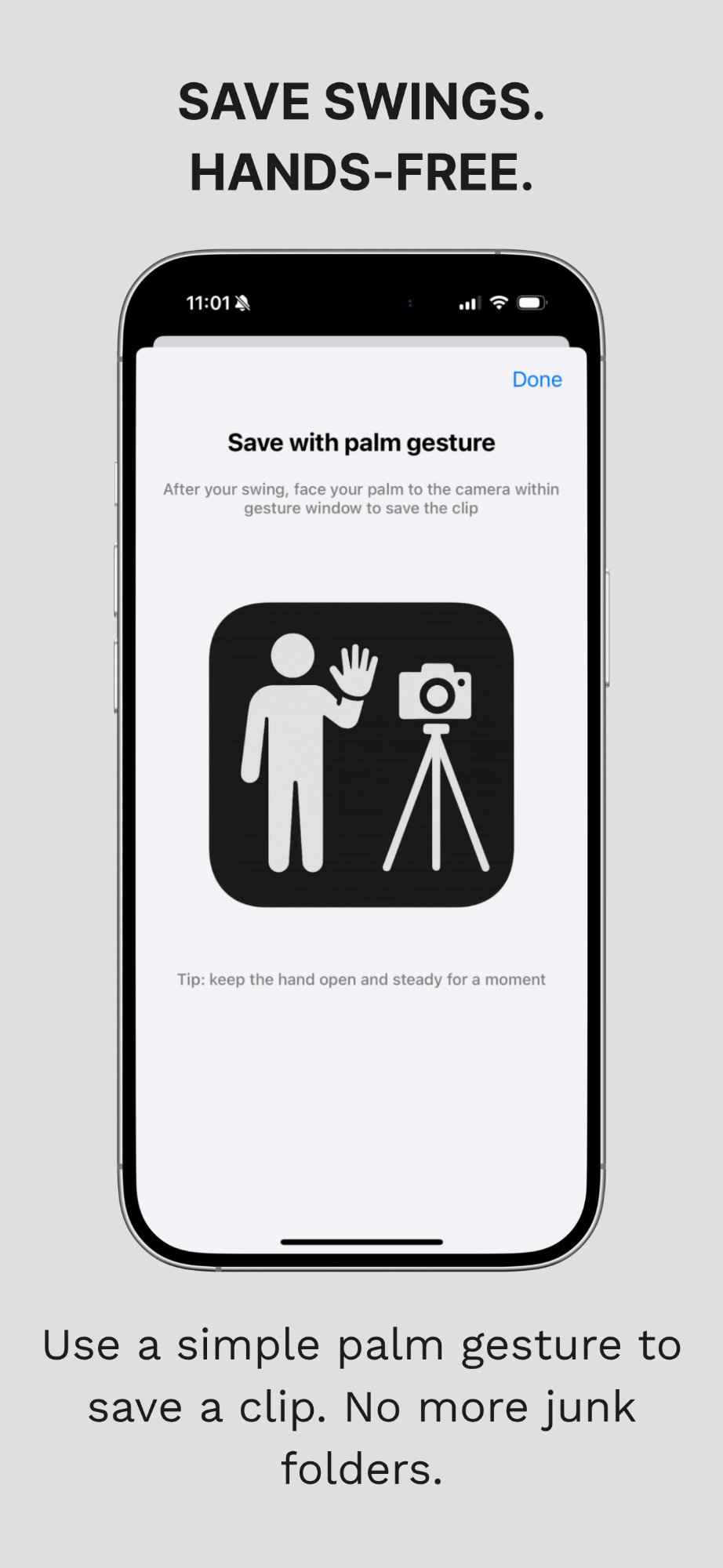
Palm gesture to save clips

Gesture Controls

Open palm saves the clip. Keep your hands free and review after your session.

Direct device connection no WiFi

No Wi-Fi Needed

Direct device-to-device connection. Works at any range, backyard, or studio.

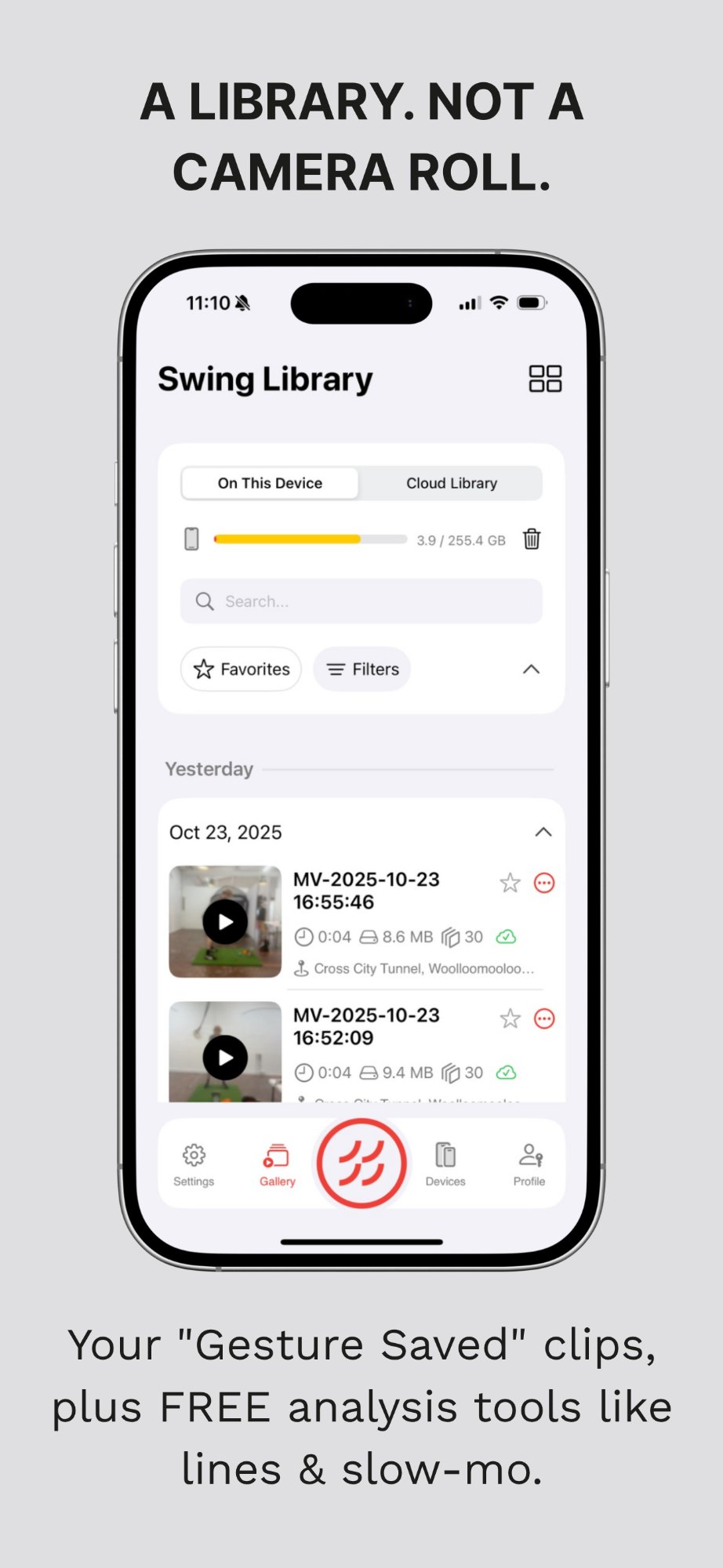
Swing library with cloud sync

Swing Library

Organised by date and location. Cloud sync, annotations, and slo-mo — free.

What Golfers Say
★★★★★

"The best value of any golf training aid I have ever purchased. The real-time feedback is crucial to perfecting my swing."

5-star App Store review, 2025
★★★★★

"If you are working on grooving something for your swing, look no further. Instant feedback from behind in real time."

GolfWRX Instruction Forum member
★★★★★

"Way less money than dedicated golf hardware and better cameras too. Just uses the iPhone and iPad you already have."

Golf Simulator Forum member

Mirror Vision Pro

Free to download and try. Pro unlocks unlimited sessions, AI swing detection, auto replay, gesture controls, cloud sync, and 240fps slo-mo. Uses the devices you already own — no expensive hardware needed.

Less than the cost of a single golf lesson.

$4.99
/month
or
$49.99
/year
FAQ

Questions & answers

An iPhone (as the camera) and an iPad (as the viewer). You can also use two iPhones. Both need iOS 16.6 or later. Mirror Vision is iOS only — there's no Android version at this time.
No — this is the most common question we get. Your devices connect directly to each other using Bluetooth and peer-to-peer Wi-Fi. No router, no hotspot, no internet, no data usage. It works anywhere.
Check these in order: (1) Wi-Fi and Bluetooth are on on both devices. (2) Both are on the latest iOS. (3) Same Mirror Vision app version on both. (4) Go to Settings → Mirror Vision on each device and make sure Local Network is turned on — this is the most common fix. For a stronger connection, open Control Center and tap the Wi-Fi icon so it goes from blue to white on both devices.
Those systems cost $500–700 for separate hardware you have to carry around and charge. Mirror Vision turns the iPhone and iPad you already own into a real-time swing mirror. No extra equipment, no extra cost — just your devices doing something new.
The free version gives you real-time streaming with a limited session time so you can try it properly. Pro is $49.99/year — less than a single golf lesson. It unlocks unlimited sessions, AI swing detection, auto replay, 240fps slo-mo, gesture controls, cloud sync, and annotation tools. No hardware to buy.
Yes — that's what it's built for. Most driving ranges have poor Wi-Fi, which is exactly why Mirror Vision doesn't need any. Just bring a small phone tripod, prop your iPad up where you can see it, and you're set.
AI Swing Detection uses more battery because it runs on-device AI in real time. Switch to Manual Recording mode if battery is a concern — it uses significantly less. Start your session with a reasonable charge on both devices.
Not currently. Mirror Vision is iOS only (iPhone and iPad). We use Apple's device-to-device communication framework which isn't available on Android. We know this is frustrating — it's the most requested feature and we're exploring options.
Contact

Get in touch

Support & Feedback

Running into an issue, have a feature request, or want to tell us how you use Mirror Vision?

support@mirrorvisiongolf.com

Follow Us

Email us and we will get back to you.

Email support@mirrorvisiongolf.com

Close the gap between feel and real

Your iPhone and iPad are all you need. Free to download. Set up in under a minute.

Download on the App Store